Pull invoices and statements
Sign in to the supplier portal, collect the period, file every document where your team expects it.
Adaptiwise designs, runs and stands behind browser-automation workflows for your business - portals signed into, invoices pulled, records moved, systems reconciled. Deterministic steps. Human approval on anything risky. A portal where your team sees every run.
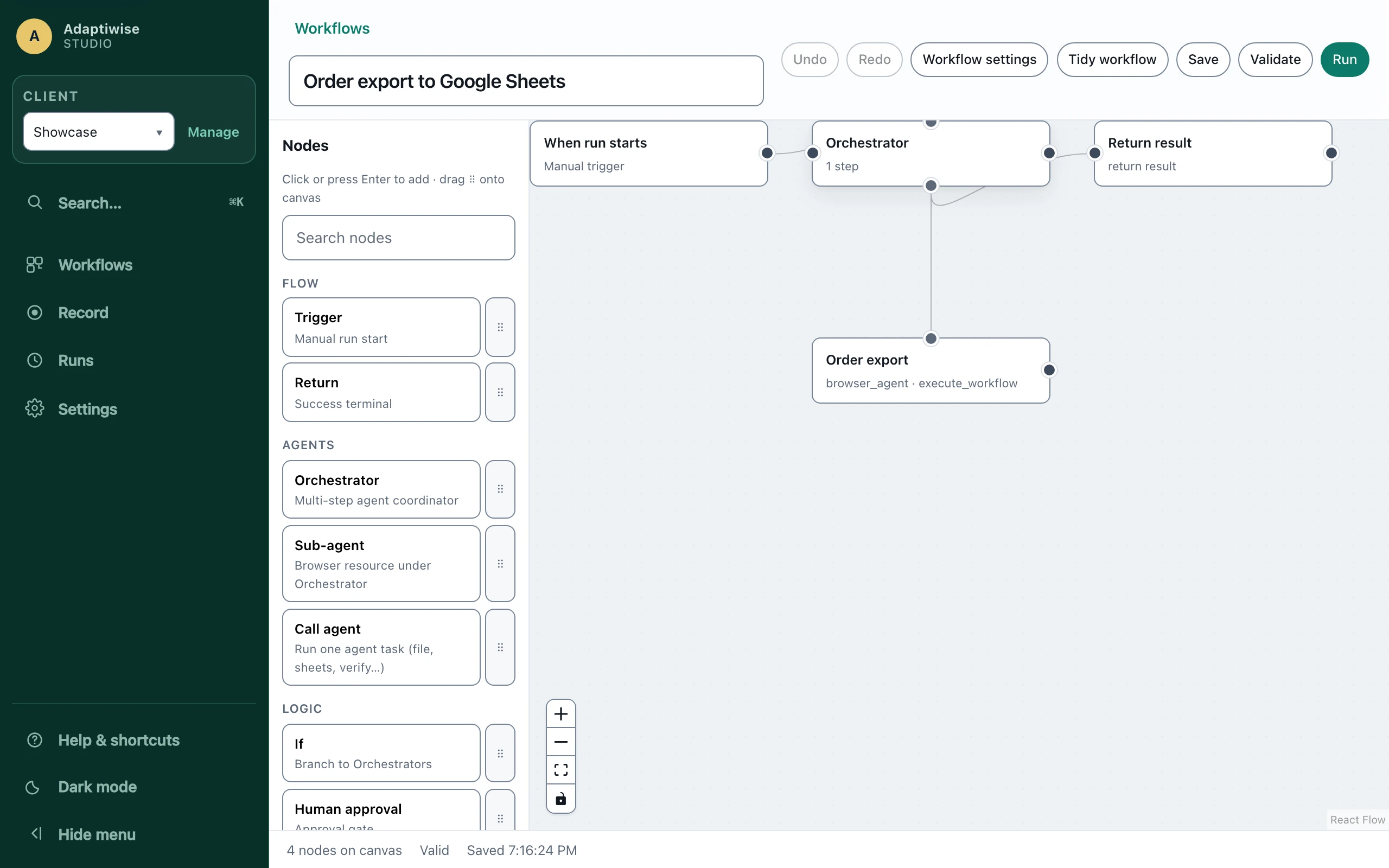
Every one of those is a step type from the product's own catalogue - thirty-four of them, in plain English, each doing exactly what it says and nothing it does not.
Every card below is a shipped capability, not a roadmap item - the portals, the extraction, the approvals, the schedule, and the Google Sheets and ClickUp integrations are all in the product today.
Sign in to the supplier portal, collect the period, file every document where your team expects it.
Extract tables and fields from the systems you work in, into the sheet your team already lives in.
Update tasks from what actually happened in a run - never from what somebody remembered to type.
The workflow fills the form and stops. A person reviews and approves the submit. Then it submits.
Weekday mornings, month-end, whenever the work recurs - with a coded outcome for every firing, including the skipped ones.
Read both sides, extract the figures, and report the differences instead of hoping there are none.
Automation you can buy anywhere. What you cannot usually buy is an agent that refuses to guess, a record of everything it did, and a human on the hook who is not you.
We author your workflow with you, step by step. Every action is deterministic and policy-gated - the agent does what the workflow says, and nothing else.
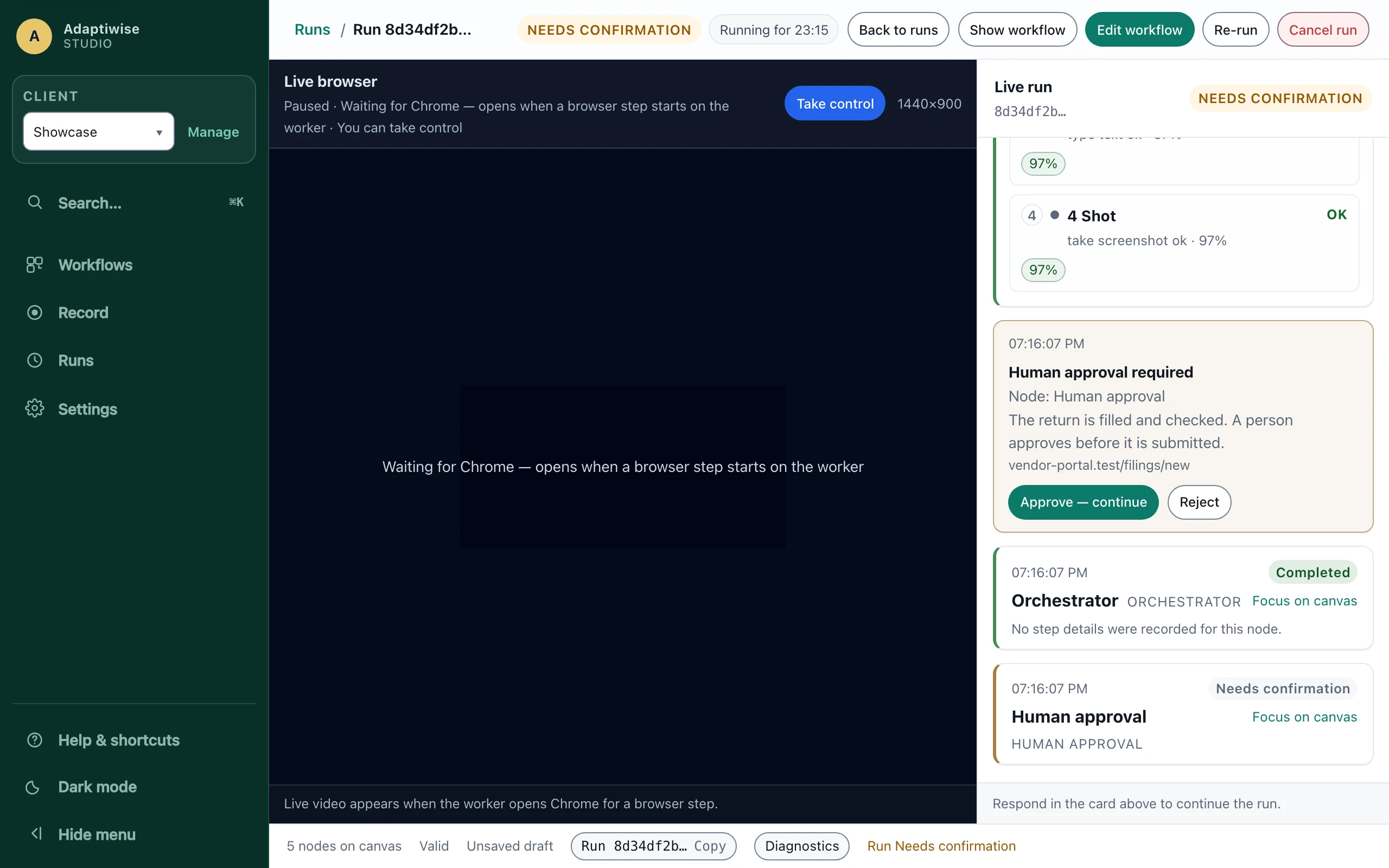
On a schedule or on demand. Anything sensitive - a payment, a submission, an unfamiliar screen - parks and waits for a human decision instead of guessing.
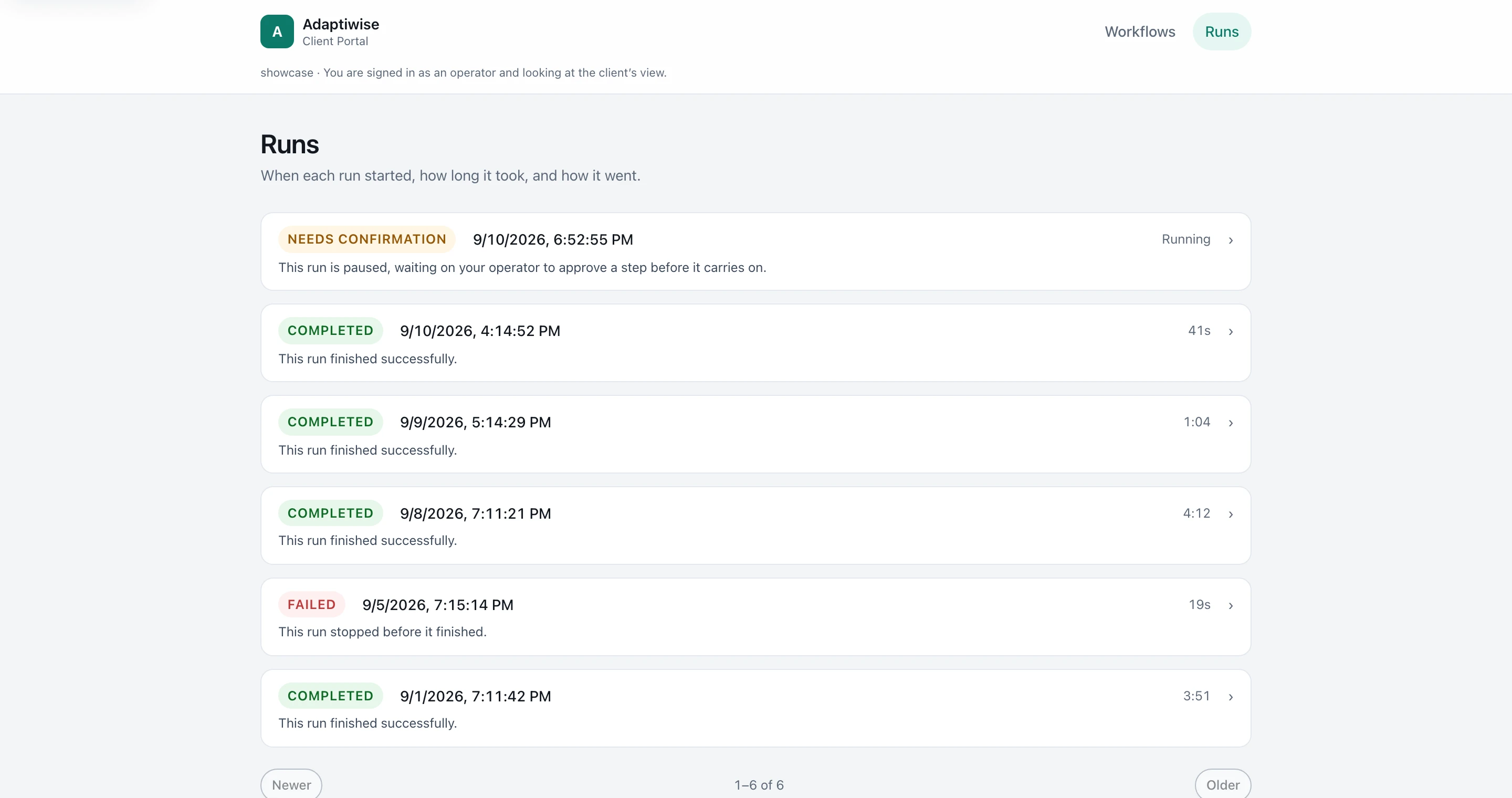
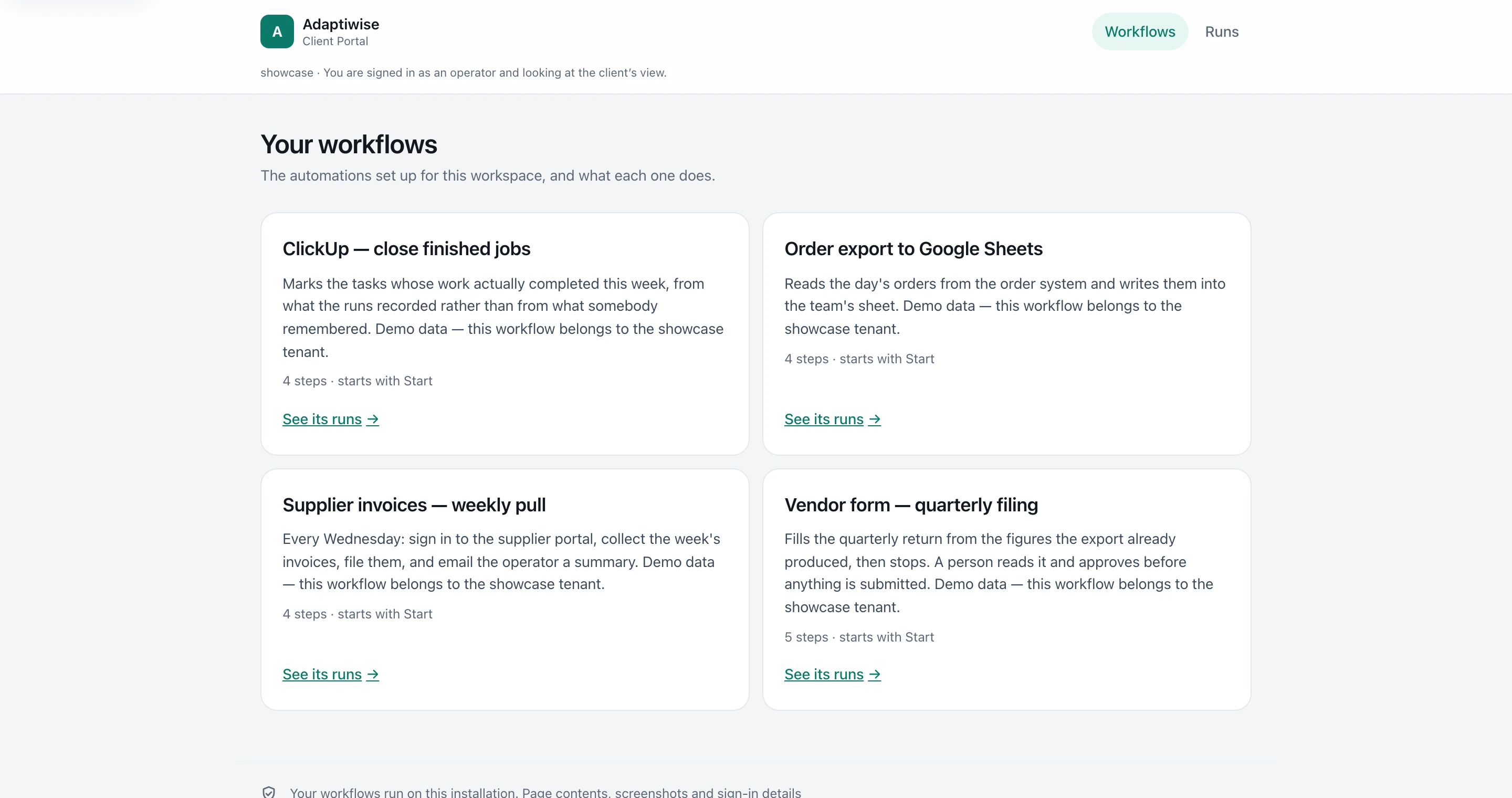
Your team signs in to a portal that answers the question that matters: did our stuff run this week? Status, timing, and a plain-language reason when something fails.
A failed run pages your operator, not you. The fix lands in the workflow, and the next run proves it - a workflow is only trusted after a verified replay.
Three delivery shapes, one product. The difference between them is stated in code and proven by tests - not written in a brochure.
Available
We host it for you.
We operate the installation on our server. Clients are held apart by the database itself, forced row by row, and the AI plans on a model running on that same server - no outside model provider. Who operates the machine is printed on the trust surface, not implied.
Available
Your machine. Your data stays put.
Runs on a computer you own - a Mac Studio, a MacBook or your own server. Nothing reaches us or any model provider: the AI plans on a model on the same machine, and the only traffic out is the browser visiting the sites your workflows work on. We prove it by removing the network and running the whole product.
In development
No network at all.
Everything on one machine with the network unplugged. The product already runs that way and installs and updates from a drive. It already fills and reads Word and Excel files on that machine; working inside the desktop applications themselves is next.
| Property | Online | Private | Offline |
|---|---|---|---|
| Status | Available | Available | In development |
| Runs execute on | Our server | Your machine | Your machine, with no network |
| What leaves your machine | - (runs live on our server, held apart per client) | Only the browser's visits to the sites your workflows use | Nothing - there is no network |
| AI planning happens | On a model running on our server; no outside model provider | On the same machine | On the same machine |
| Your team watches from | Anywhere | Your network; anywhere with our optional portal, which carries coded status only | The machine itself or your local network |
| What it automates | Websites | Websites, and Word and Excel files on that machine | Websites, and Word and Excel files; desktop applications next |
| The proof behind the claim | Tenant isolation forced row-by-row in the database | The egress boundary refuses anything it does not name, and the product runs with the network removed | The product runs with the network removed and installs from a drive |
Every privacy claim on our trust surface is generated from the enforcement code that makes it true, and a test fails the build when the two drift. The strongest of them: in the Private mode, the list of third parties who receive anything is published - and it is empty.
Half an hour, with the actual task on screen. If an agent is the wrong tool for it, we would rather tell you than sell you.
Talk to us